

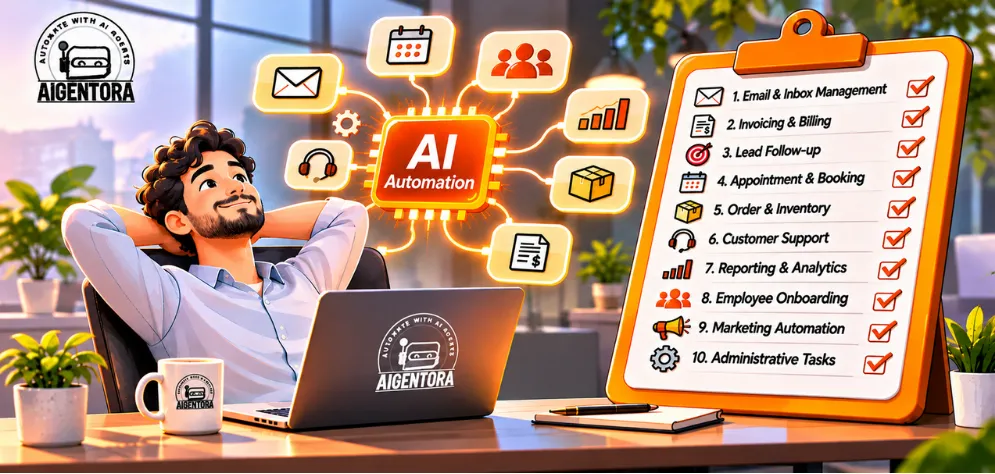
Every business has work that eats hours but needs no real judgment: sorting emails, typing invoices, chasing leads, building the Monday report. Here are the ten processes worth handing to AI first, how each one works, and where to begin.
Is your team still doing
by hand?
Most teams don't lose time on hard problems. They lose it on small, repeated tasks: copying a lead into the CRM, typing an invoice into the accounting tool, answering the same customer question for the fortieth time this week.
Classic automation tools could only handle these jobs when the input was perfectly structured. AI changes that. Today's models can read an email, understand a PDF, listen to a phone call and decide what should happen next, then hand the result to a workflow that does the rest.
Automate the work nobody chose this job to do.
Below are ten processes where AI automation is proven, affordable and quick to start. For each one you'll see the manual way, the AI way, the tools people use and a quick win you could launch this month.
Tick everything your team still does manually
0% automatable
0 hrs / week
Tick what applies. The jar fills up as you go.
Hours are rough assumptions for one person. Adjust them to your team.The 10 processes, at a glance
Drag through the cards, then click one to jump straight to it.
Customer support & ticket triage
Tag, route and answer routine tickets automatically.
Impact: HighEffort: LowRead → 02EveryoneEmail inbox management
Sort, summarise and draft replies before you open the inbox.
Impact: HighEffort: LowRead → 03SalesLead qualification & follow-up
Reply in minutes, score every lead, book the good ones.
Impact: HighEffort: LowRead → 04FinanceInvoice processing
Read invoices, match POs and post to accounting.
Impact: HighEffort: MediumRead → 05OperationsData entry & CRM updates
Keep every system in sync without retyping.
Impact: MediumEffort: LowRead → 06ManagementReporting & dashboards
The Monday report, written and sent for you.
Impact: MediumEffort: LowRead → 07HRRecruiting & onboarding
Screen, schedule and welcome new hires faster.
Impact: MediumEffort: MediumRead → 08MarketingContent & social media
One idea, turned into a week of content.
Impact: MediumEffort: LowRead → 09Front deskScheduling & phone calls
A voice AI receptionist that never misses a call.
Impact: HighEffort: MediumRead → 10eCommerceOrders & inventory
Orders, stock and tracking synced across channels.
Impact: HighEffort: MediumRead →Start where the messages pile up
Support tickets and email are where most teams feel the pain first, and where AI pays off fastest because the work is high-volume and highly repetitive.
Customer support & ticket triage
The manual way
- Agents read and tag every ticket by hand
- The same 20 questions answered again and again
- Urgent issues wait in the same queue as simple ones
- Nights and weekends pile up into Monday
The AI way
- Classifies each ticket by intent, urgency and language
- Answers common questions instantly from your help centre
- Routes complex cases to the right person with a summary
- Covers 24/7 and hands over when it isn't sure
Email inbox management
The manual way
- Hours a day sorting, forwarding and archiving
- Copying order numbers, dates and names into other tools
- Writing near-identical replies from scratch
- Important emails buried under newsletters
The AI way
- Labels and prioritises every email as it arrives
- Pulls key details straight into your CRM or spreadsheet
- Drafts replies in your tone for one-click approval
- Summarises long threads into three lines
Lead capture, qualification & follow-up
The faster you reply to a new lead, the more likely you are to win it, yet most leads wait hours or days. AI closes that gap.
Manual: someone copies form leads into the CRM, researches the company, guesses who is worth a call and follows up when they remember.
With AI: every lead is captured instantly, enriched with company data, scored against your ideal customer, sent a personal reply within minutes and booked straight into your calendar.
Quick win: an instant, personalised reply with a booking link for every form lead.
✶ We run a workflow like this for our own sales leads at Aigentora.New 0
Enriched 0
Qualified 0
Meeting booked 0
↓ Keep scrolling: the AI works through the pipeline
Invoice processing & accounts payable
The manual way: download PDFs from email, type vendor, amounts and tax into the accounting software, check them against purchase orders and chase approvals over email.
The AI way: AI reads invoices in any layout, extracts every field and line item, matches them with the PO and goods receipt, flags duplicates or mismatches, then routes the invoice for approval and posts it to Tally, Zoho Books, QuickBooks or Xero.
TAX INVOICE
| Item | Qty | Amount |
|---|---|---|
| Corrugated boxes (M) | 500 | ₹42,000 |
| Bubble wrap rolls | 40 | ₹18,400 |
| Custom printed tape | 120 | ₹45,000 |
- VendorBrightline Packaging Co.✓
- Invoice no.BP-20931✓
- Invoice date2026-10-28✓
- Due date2026-11-27✓
- PO referencePO-5521✓
- Line items3 items · qty 660✓
- Subtotal105,400.00✓
- GST (18%)18,972.00✓
- Total124,372.00 INR✓
- 3-way match: PO-5521 · GRN-889
- Routed to finance manager for approval
- Posted to accounting software
Quick win: forward every invoice to one inbox and let AI extract the fields into a spreadsheet for review, before connecting your accounting software.
Two automation recipes for your data
Retyping data and building reports are invisible time sinks. Here's how teams automate both, written up like recipes you can follow.
Now reading: Process 05 · Data entry
Data entry & CRM updates
👥 For: sales & operations⏱ Setup: typically 1–2 weeks
Copying details between forms, spreadsheets, the CRM and the ERP creates typos, duplicates and records nobody trusts. AI can read unstructured sources like emails, PDFs and call notes and turn them into clean, structured fields.
Ingredients
- n8n or Make
- Your CRM's API
- An LLM for extraction
- Validation rules
Method
- Trigger on a new email, form, call recording or file.
- Let the AI extract the fields you need (name, company, amount, dates).
- Validate formats and check for existing records to avoid duplicates.
- Create or update the CRM record and log what changed.
Reporting & dashboards
👥 For: founders & managers⏱ Setup: typically 1–3 weeks
Exporting CSVs every Monday, pasting them into spreadsheets and turning them into slides takes hours, and the insight usually arrives too late. AI can assemble the report and explain what changed in plain language.
Ingredients
- Data sources (GA4, Shopify, CRM, ads)
- A scheduler
- An LLM for the summary
- Slack or email
Method
- Pull the numbers from every tool on a schedule.
- Calculate the KPIs and compare them with last week and the target.
- Have the AI write a short summary of what moved and possible reasons.
- Send it to Slack or email, and let people ask follow-up questions.
Recruiting & onboarding
Hiring is full of admin: reading hundreds of CVs, juggling interview calendars, chasing documents and setting up accounts. AI handles the paperwork so your team can spend its time on people.
Guardrail: AI can rank and summarise, but people make hiring decisions. Test your screening for bias and keep a human review on every rejection.
Screen CVs
AI does: reads every application, matches it against your must-have skills and writes a two-line summary for each candidate.
Human does: reviews the shortlist and decides who moves forward.
Schedule interviews
AI does: finds free slots across every interviewer's calendar, sends invites and reminders, and handles reschedules.
Human does: runs the interviews and shares feedback.
Offer & paperwork
AI does: drafts the offer letter from approved templates, collects documents and sends everything for e-signature.
Human does: approves the terms and makes the call.
Day-one setup
AI does: creates accounts, raises the laptop request, and sends the welcome pack and a first-week plan.
Human does: welcomes the new hire in person.
30-day check-ins
AI does: answers policy questions from the handbook, sends short pulse surveys and flags concerns to HR.
Human does: has the real conversations.
Quick win: automate interview scheduling first. It's pure admin, and candidates notice the speed.
Content & social media
The manual way: a blank page every time, hours per post, repurposing done by hand and a posting schedule that slips whenever the team gets busy.
The AI way: AI drafts from your briefs and research, turns one piece into many formats, writes product descriptions at scale and keeps the calendar full. Your team edits for voice, facts and final approval.
Quick win: automatically turn every new blog post into three LinkedIn drafts and a newsletter section for your team to approve.
Scheduling & phone calls
Every missed call can be a missed customer, and booking by message takes a lot of back-and-forth. A voice AI receptionist picks up every call, day or night.
- Manual: calls go unanswered during busy hours and after closing, staff juggle the diary, and no-shows slip through.
- With AI: an AI agent answers 24/7, books and reschedules straight into your calendar, sends reminders, answers common questions and transfers urgent calls to a person.
Quick win: start with after-hours calls only. Every booking it makes is one you would otherwise have missed.
“Hi, can I book a cleaning for Thursday morning?”
AI receptionist: Thursday at 10:00 is free. You're booked, and I've sent a confirmation by SMS. ✓
Orders & inventory, on autopilot
For online stores, every order sets off a chain of small jobs: check the payment, update stock on every channel, create the shipment, tell the customer. AI agents and workflows can run the whole line.
Example orders · scroll to move the belt
The manual way
- Copying orders from the store into the ERP or a spreadsheet
- Updating stock by hand across Shopify, marketplaces and the warehouse
- Creating shipping labels and emailing tracking numbers one by one
- “Where is my order?” emails answered manually all day
The AI way
- Orders and stock synced across every channel in real time
- Risky orders or bad addresses flagged before they ship
- Low stock triggers a reorder suggestion and a supplier email draft
- An AI agent answers order-status questions instantly
Quick win: let an AI agent answer “where is my order?” questions from live tracking data. It takes the most repetitive messages off your support team.
Pick your first process with an impact vs effort map
Not every process deserves to go first. Plot them by business impact and setup effort, then start in the top-left corner. Positions show a typical small or mid-size business; yours may differ.
A simple 30-day starter plan
Choose a single process from the top-left box and measure how long it takes today.
Connect your tools with n8n, Make or Zapier and add AI only where the input is messy.
Let a person check every output for a week. Fix prompts and rules from real cases.
Compare hours, errors and response times with week 1, then pick the next process.
Let's get your first process off your plate
Tell us which task eats your team's week. In a free 30-minute automation audit we'll map the workflow, show where AI fits and estimate what a first version would take to build.
Questions we hear every week
Tap a note to read the answer.
Start with processes that are high-volume, repetitive and rule-based but involve messy inputs like emails, documents or chats. Customer support triage, email management and lead follow-up are usually the best first projects because they are quick to set up and save time immediately.
Regular automation follows fixed rules and needs structured data, for example "when a form is submitted, add a row to a sheet". AI automation adds understanding: it can read an email, extract details from a PDF or decide how to route a request. Most real workflows combine both.
It depends on the number of systems involved, the volume and how much custom logic is needed. Simple workflows built on tools like n8n, Make or Zapier can run on modest monthly software and AI usage costs, while custom AI agents connected to core systems need a larger build. Starting with one well-defined process keeps the first investment small.
A focused workflow such as email triage or lead follow-up can often go live in one to three weeks. Processes that touch accounting, ERP or phone systems usually take longer because they need deeper integration, approval rules and a supervised testing period.
In most businesses AI automation removes tasks, not people. It takes over copying, sorting and first drafts so your team can focus on customers, decisions and the work that needs judgment. Many companies use it to handle growth without adding the same amount of admin work.
Not always. No-code tools let business teams build many simple workflows themselves. You'll want technical help when a process connects to core systems, needs custom AI agents, handles sensitive data or must run reliably at high volume.
It can be, when the setup is designed for it: give the automation only the access it needs, use AI providers with clear data-handling terms, keep sensitive fields masked, log every action and require human approval for anything that moves money or changes important records.
Common building blocks are workflow platforms such as n8n, Make, Zapier or Power Automate; AI models such as GPT, Claude or Gemini; voice platforms like Retell AI or Vapi; and the apps you already use, such as your CRM, help desk, accounting software and online store.
Measure the process before you automate it: hours spent, cost per task, error rate and response time. After launch, track the same numbers along with outcomes like faster lead response or fewer missed calls. Compare those savings with the build and running costs.
Usually, yes. Most modern tools, from CRMs like HubSpot and Zoho to Shopify, Magento, WooCommerce, Tally and Google Workspace, offer APIs or integrations that automation platforms can connect to. For older systems without an API, options include email-based workflows, file imports or careful screen automation.